
Click to Use Pod Computer
Click to Use Pod Computer
14/06/2026
LittleBigPlanet is a 2.5D sandbox platformer game, revolving around its ethos: Play, Create, Share. Despite it being long dead after the server shutdown, the community have developed custom LBP servers, like Beacon, and Bonsai. This inspired me... I want to try make my own from scratch!
Fun fact, LBP uses HTTP for server communication (apart from LBP3 PS4 that uses HTTPS). This means the LBP traffic can be snooped. I patched my LBP2 with an LBP server, opened up Wireshark, and monitored. I was surprised to how simple it was request wise:
/LITTLEBIGPLANETPS3_XMLPOST /login, GET /eula, GET /announceI went with Bun Typescript, which I'm best at. It's the best TS runtime for performance, with an included HTTP server using Bun.serve().
The core LBP protocol mainly relies on XML. However, later LBP games extend the protocol with other formats like JSON. I implemented the core routes:
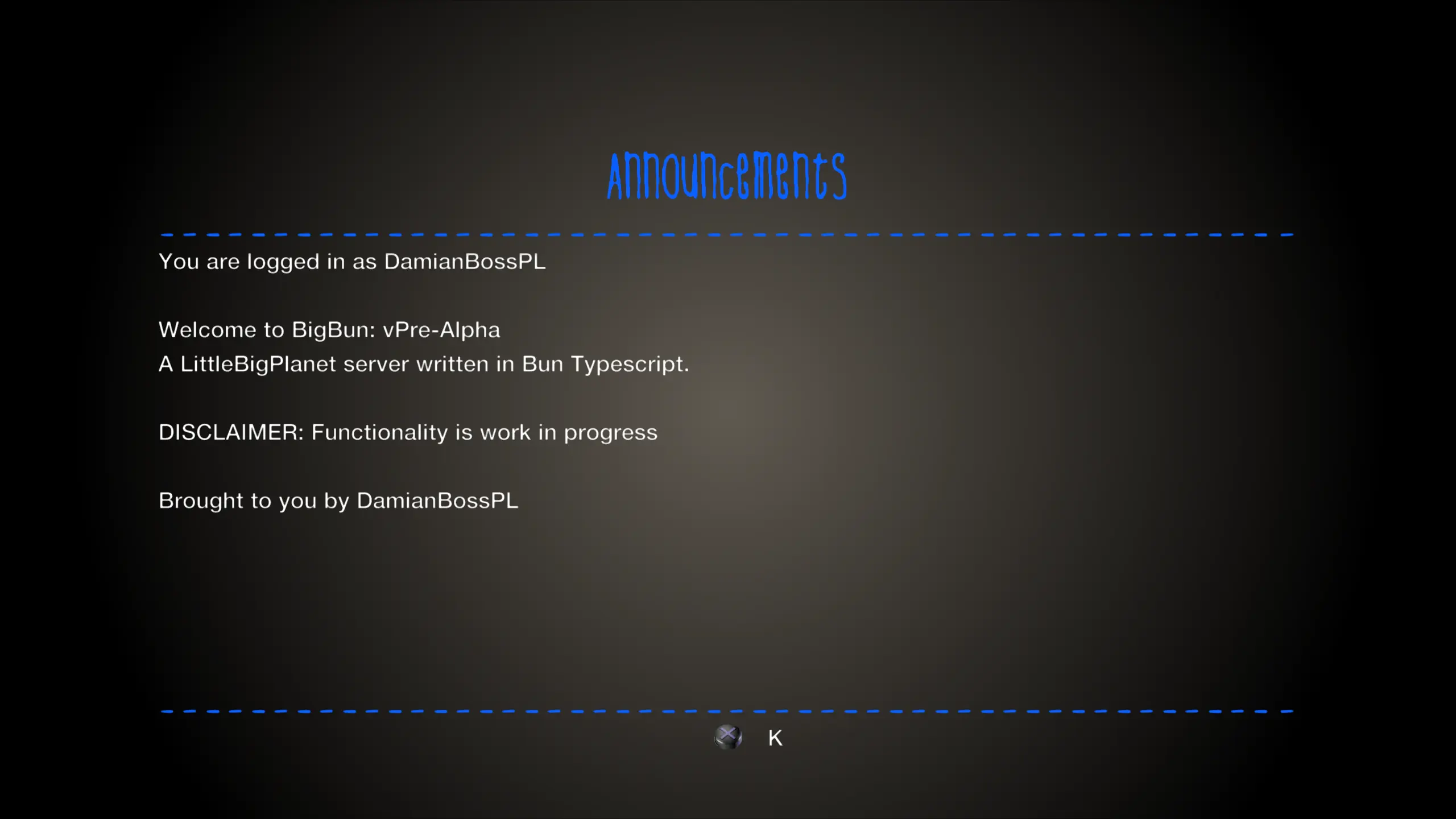
/LITTLEBIGPLANETPS3_XML - The root for all requestsPOST /login - Client sends NPTicket. Server returns a few values, including an auth key.GET /eula - Returns EULA plain textGET /announce - Returns announcements plain textI patched my game, and launched it. All behold my custom LBP server that I wrote from scratch! Not feature complete, but working nethertheless.
I analysed game requests again, and found another 2 routes:
GET /user/DamianBossPL - Returns <user> with the profile's detailsPOST /updateUser - Client sends <updateUser> with profile details to changeI used a temporary key value database in the server to store profile icon, hearts, positon on Earth, and even how many levels the player is entitled to post. It was hard-coded to a single user, but it worked! However, /updateUser broke things.. The server was returning an <icon> tag inside the root tag, <user>. The icon is actually an attribute of npHandle as <npHandle icon="resourceidentifier">. After tweaking, it stores correctly now!
I then tried to store profiles by usernames, meaning each user will have their own profile in the server's memory. I set a default fallback profile as well with a preset icon of g106604, an image of a bird. Again, it works!
Throughout all of this, the client was "authenticated", but wasn't really authenticated... The server sends MM_AUTH=none, tricking the game to think it's authenticated. The server actually has to authenticate using the client's provided NPTicket on login.
X-I-5-Ticket, or NPTicket, is a proprietary binary format for PSN authentication. It includes values like PSN name, and game ID. I needed to figure out the format, so that I can parse, and extract the needed data.
During this, I copied the ticket from server logs into my clipboard, which corrupted it thanks to UTF-8 encoding. I was stuck for a day until I tried dumping the hex values from Wireshark. That worked! Then, I used the Bible to implement a simple NPTicket parser. What I came up with was raw to say the least, but I can now view the values in a readable format.
To authenticate a user, I used the PSN name as the auth key. The PSN name in the NPTicker is value 6 in the body. Now, the server can know who's who. I tweaked /updateUser to target the user sending it, and we can have multiple logged in users. I also adjusted the announcements to greet the player with their name and server details.
This is going to be an interesting journey. I aim to make this server as functional as possible, with working levels, customisation, and the rest of the community featues. You may ask, what is the name of this server? I call it BigBun, Big in LBP, and Bun as the runtime.
When it becomes open-sourced, it will be avaiable at https://codeberg.org/DamianBossPL/bigbun